
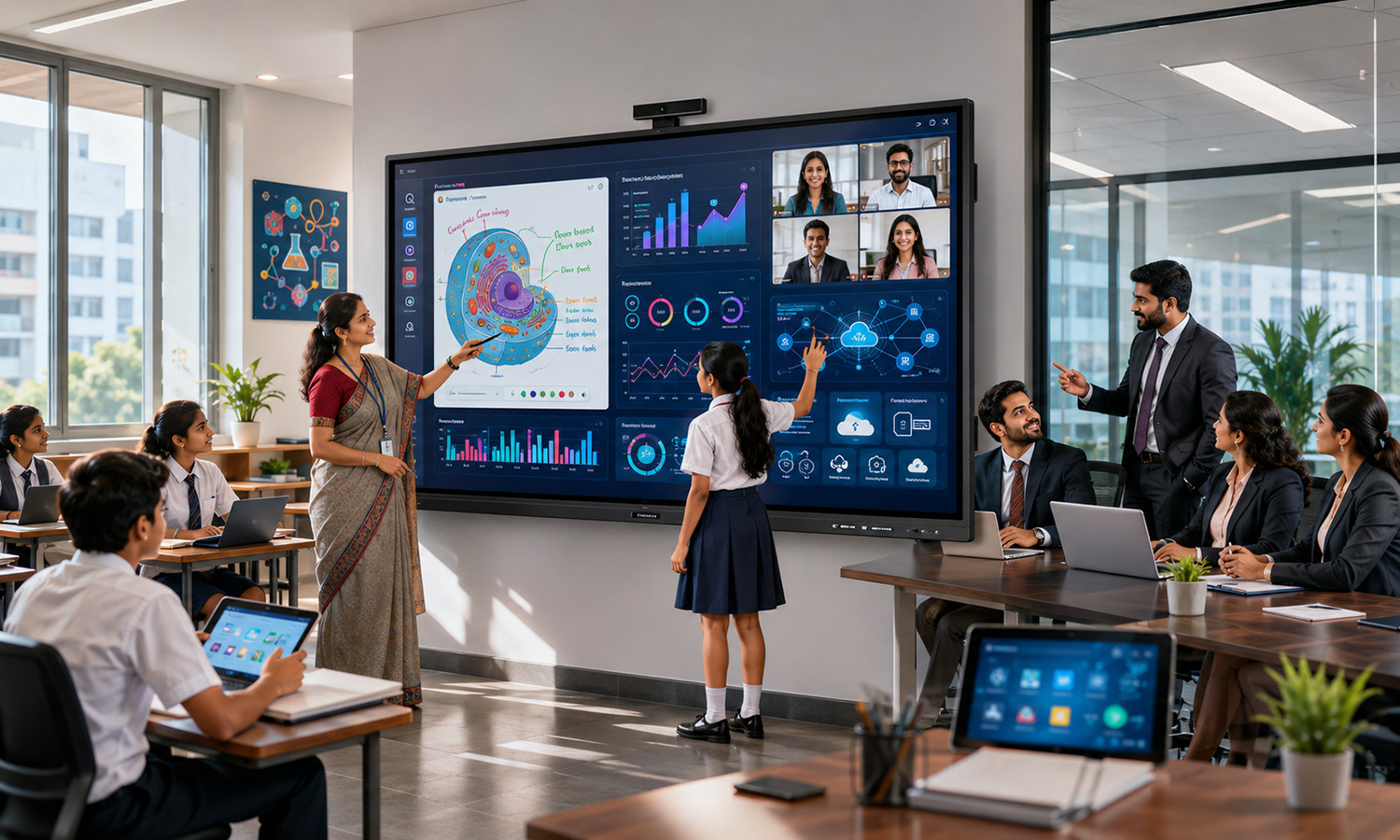
The way people communicate, collaborate, and learn has evolved dramatically in recent years. Traditional whiteboards, projectors, and static display systems are rapidly being replaced by smarter and more interactive technologies. Among these innovations, the Interactive Flat Panel (IFP) has emerged as a game-changing solution for classrooms, corporate offices, training centers, and conference rooms.
An Interactive Flat Panel combines the functionality of a high-definition display, digital whiteboard, touchscreen device, and collaboration tool into a single platform. Its ability to enhance engagement, productivity, and communication makes it an essential technology for modern workplaces and educational institutions.
In this article, we will explore what an Interactive Flat Panel is, its key features, benefits, applications, and why it is becoming the preferred choice for interactive learning and collaboration.
What is an Interactive Flat Panel?
An Interactive Flat Panel (IFP) is a large touchscreen display that enables users to interact directly with digital content using fingers, styluses, or specialized touch pens. Unlike traditional projectors and whiteboards, interactive flat panels provide a seamless digital experience with superior image quality, multi-touch functionality, and advanced collaboration features.
These panels are available in various screen sizes, typically ranging from 55 inches to 98 inches, making them suitable for classrooms, meeting rooms, auditoriums, and training facilities.
Interactive flat panels are often powered by built-in operating systems such as Android or Windows and support a wide range of educational, business, and presentation applications.
How Interactive Flat Panels Work
Interactive flat panels use advanced touch technologies such as infrared (IR), capacitive touch, or optical bonding systems to detect user interactions accurately.
Users can:
- Write and draw directly on the screen
- Annotate documents and presentations
- Conduct interactive lessons or meetings
- Access cloud-based content
- Collaborate with remote participants
- Share screens from multiple devices
The combination of touch functionality and high-resolution displays creates an engaging and productive working environment.
Key Benefits of Interactive Flat Panels
1. Enhanced Collaboration
One of the biggest advantages of an Interactive Flat Panel is its ability to facilitate real-time collaboration. Multiple users can write, draw, edit, and interact simultaneously, making teamwork more effective and engaging.
2. Superior Visual Quality
Interactive flat panels offer Full HD, 4K, and even 8K display resolutions. This ensures crystal-clear images, vibrant colors, and exceptional readability from any viewing angle.
3. Improved Learning Experience
In educational settings, interactive flat panels create immersive learning environments. Teachers can use multimedia content, interactive quizzes, videos, and annotations to make lessons more engaging and effective.
4. Easy Content Sharing
Modern interactive flat panels support wireless screen sharing from laptops, tablets, and smartphones. This allows participants to present and collaborate without complicated cable connections.
5. Reduced Maintenance Costs
Unlike projectors that require lamp replacements and regular maintenance, interactive flat panels offer long operational lifespans with minimal upkeep requirements.
6. Eco-Friendly Solution
By eliminating the need for printed materials, markers, and projector consumables, interactive flat panels contribute to sustainable and environmentally friendly operations.
Applications of Interactive Flat Panels
Education Sector
Schools, colleges, universities, and training institutes are among the largest adopters of interactive flat panels. Teachers use them to create interactive lessons, conduct virtual classes, and improve student participation.
Corporate Offices
Businesses use interactive flat panels for meetings, brainstorming sessions, presentations, video conferencing, and project collaboration. They help teams work more efficiently and improve decision-making processes.
Training Centers
Professional training organizations use interactive flat panels to deliver engaging workshops, technical training programs, and employee development sessions.
Healthcare Industry
Hospitals and healthcare institutions utilize interactive flat panels for staff training, patient education, telemedicine consultations, and medical presentations.
Government Organizations
Government agencies use interactive displays for presentations, planning meetings, and public information sessions.
Conference and Event Venues
Interactive flat panels enhance audience engagement during seminars, conferences, exhibitions, and corporate events through interactive presentations and live demonstrations.
Interactive Flat Panel vs Traditional Projector
Many organizations compare interactive flat panels with traditional projector-based systems before making a purchase decision.
| Feature | Interactive Flat Panel | Traditional Projector |
|---|---|---|
| Display Quality | High Definition | Depends on Lighting |
| Touch Interaction | Yes | Limited |
| Maintenance | Low | High |
| Brightness | Consistent | Variable |
| Lifespan | Long | Lamp Replacement Required |
| Collaboration Features | Advanced | Basic |
| Wireless Connectivity | Available | Limited |
The superior performance and lower maintenance requirements make interactive flat panels a more cost-effective long-term investment.
Features to Consider When Buying an Interactive Flat Panel
Screen Size
Choose the screen size based on room dimensions and audience size. Larger spaces require larger displays for optimal visibility.
Resolution
4K resolution is recommended for sharp visuals, detailed presentations, and enhanced viewing experiences.
Multi-Touch Capability
Look for panels that support multiple touch points, enabling simultaneous interaction by several users.
Built-in Software
Many interactive flat panels come with integrated whiteboarding tools, educational applications, and collaboration software that improve productivity.
Wireless Connectivity
Wireless screen sharing and cloud integration simplify collaboration and content management.
Audio Performance
Built-in speakers with high-quality sound enhance presentations, online meetings, and educational sessions.
Future Trends in Interactive Flat Panel Technology
As technology advances, interactive flat panels continue to evolve with innovative features such as:
- Artificial Intelligence (AI) integration
- Cloud-based collaboration platforms
- Hybrid meeting support
- Gesture recognition technology
- Enhanced cybersecurity features
- Ultra-high-definition displays
- Smart classroom solutions
These advancements are making interactive flat panels even more powerful and valuable for organizations worldwide.
Conclusion
Interactive Flat Panels have revolutionized the way people learn, collaborate, and communicate. Their combination of touch-screen technology, superior display quality, wireless connectivity, and interactive capabilities makes them an ideal solution for educational institutions, businesses, healthcare facilities, and government organizations.
As digital transformation continues across industries, interactive flat panels are becoming a critical tool for improving engagement, productivity, and collaboration. Organizations that invest in Interactive Flat Panel technology can create smarter workspaces, more effective learning environments, and enhanced communication experiences that drive long-term success.